
Why solar panels stop working, and how to work out which one it is
Most systems that look dead are either generating normally in the wrong month or have disconnected on purpose. The ones that have genuinely failed usually say so on a screen you can read from the ground. There is a sensible order to work through, and a line you should not cross.
Updated 25 September 2026 · written by the Clearline guidance team · 11 min read
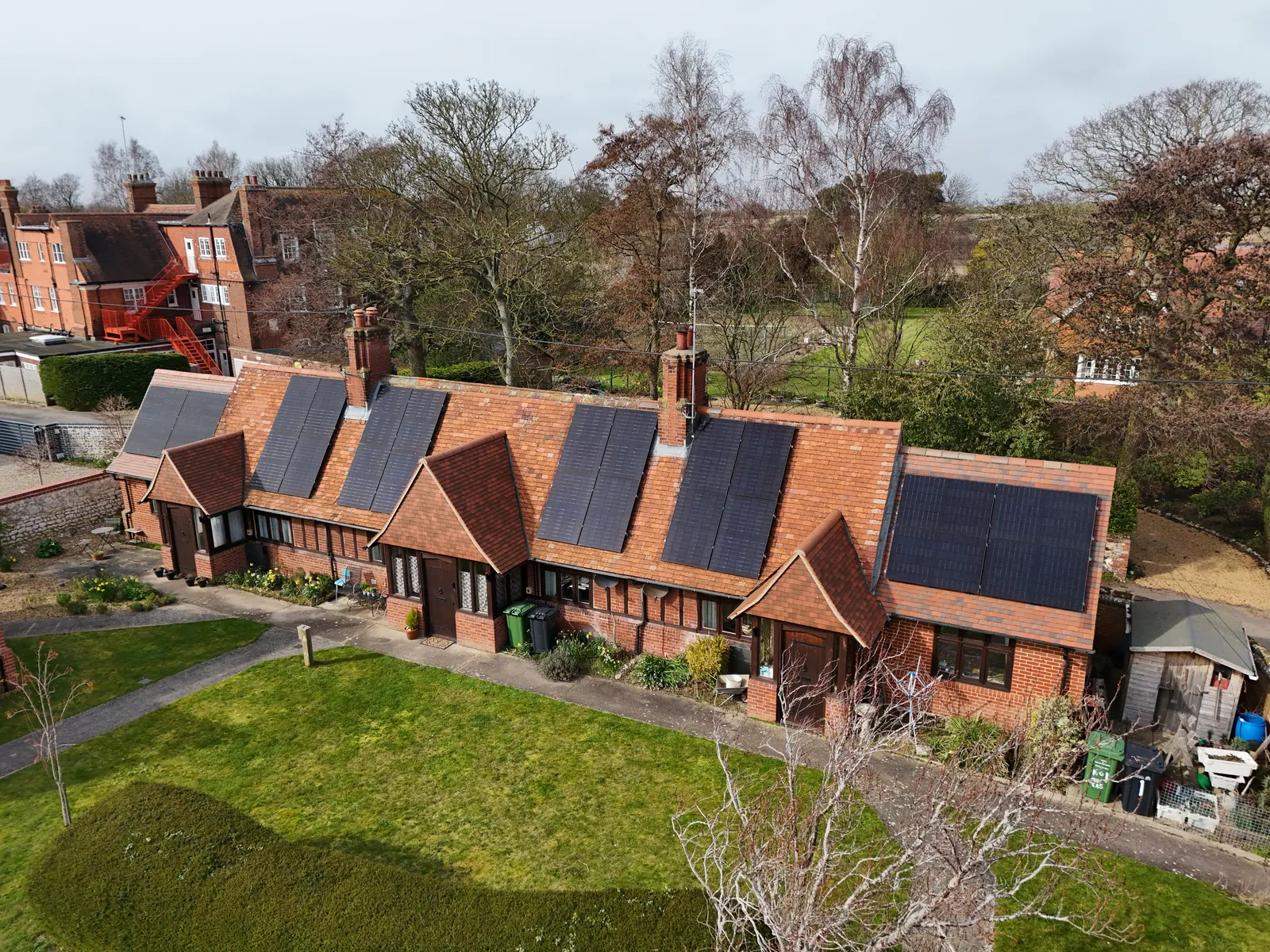
Work from the meter outwards
A solar installation that looks dead is usually one of five things: normal output in a month that feels wrong, monitoring that has dropped off while the hardware carries on, an inverter that disconnected because of something on the grid, a protective device that opened on the AC side, or a real fault on the array. Those five cost wildly different amounts to put right, and four of them can be separated from the ground without touching anything.
Read the generation total, not the app dashboard
Many installations have a generation meter near the inverter showing lifetime kWh. The decimal point commonly sits two digits from the end and is hard to see, so a display reading 10000 can mean 100.00. Note it, leave an hour of daylight, read it again. If it has moved, your problem is the monitoring.
Look at the inverter, then write down the code
Green usually means running, amber or flashing means standby or waiting for the grid, red means a fault. Record the exact code or state number and the time it appeared. That code is the difference between an answer over the phone and a paid visit that starts with guessing.
Check the AC side has not simply been switched off
Look at the consumer unit for a breaker or RCD labelled solar, PV or inverter, and at the rotary isolator beside the inverter. A tripped RCD takes the solar down with everything else on that circuit, which happens after building work more often than anyone admits.
Rule out the supply before you blame the system
If the inverter reports a grid condition and the house is otherwise fine, check whether the fault clears and returns at the same time each day. If the street is dark, call 105, the free national number that reaches your local electricity network operator anywhere in England, Scotland and Wales.
Photograph everything before anyone touches it
The screen with the code visible, the status lights, the generation meter, the inverter label and the monitoring graph for the last month. A photographed fault gets diagnosed remotely, and a remembered one gets a call out fee.
Two rules that do not bend
Do not go onto the roof, and do not open, operate or investigate anything on the DC side. Panels produce voltage whenever light falls on them, so the DC side cannot be switched off the way a socket can, and direct current does not pass through zero the way mains alternating current does, which is why a DC arc does not put itself out. Everything worth checking is at ground level.
Not sure whether you are looking at a fault or a season? The free remote design call reviews the system you already have, monitoring history included, before anyone quotes you for work on it.
Get my free quote →
- Junction box
- IP68, three diodes
- Annual degradation, years 2 to 30
- No more than 0.35 per cent
- Output retained at year 30
- At least 88.85 per cent
What the fault families actually mean
Manufacturers number their codes differently and the number alone tells you little. The family it belongs to tells you almost everything, including whether it is safe to clear.

| What the inverter reports | What it usually means | What it costs you |
|---|---|---|
Grid voltage or frequency | The supply left the window the inverter is certified to work inside, so it disconnected | Nothing, if occasional. A daily pattern points at the network, not your panels |
Isolation or insulation resistance | Current is finding a path to earth on the DC side, usually water or corrosion at a connector | A safety stop with a fire risk attached. Installation team work, and not something to keep clearing |
Arc fault | The inverter has seen the current signature of an arc on the DC wiring | Stop using the system and call someone. Do not restart it to see what happens |
Optimiser or module communication | One device on the array has stopped reporting | Usually one panel or its optimiser. The rest of the array carries on |
Over temperature | The inverter is throttling itself because it cannot shed heat | Often clearances and airflow. A loft install in August is the classic |
Internal hardware | Fan, relay or power stage failure inside the unit | A warranty claim or a replacement, depending on age and terms |
Isolation faults trigger when resistance between the DC circuits and earth falls to roughly 1 megohm, against 20 to 30 megohms on a healthy circuit even in soaking wet conditions.
Isolation and arc faults are the two to treat differently. Both point at the DC wiring and both carry a fire risk. SolarEdge's own arc fault installation guide tells the user to disconnect the system from power and contact a qualified technician rather than attempt a restart. Clearing a safety stop three times a week is not a repair, it is switching off a protection device in instalments.
One reset is reasonable, a pattern is not
A single grid fault after a storm, with normal running since, is protection doing its job. If the same code returns within a day, or at the same hour every day, stop resetting and start logging times and readings. The log is what gets a network operator or an installation team to act.
Grid faults are often not your system
Every grid connected inverter in Great Britain is type tested against an engineering recommendation, G98 for smaller domestic systems and G99 above that, and it carries interface protection settings it is not permitted to ignore. When the supply leaves that window the inverter disconnects. Nothing has broken.
| Protection | Trip setting | Time delay |
|---|---|---|
Under voltage | 184 V | 2.5 s |
Over voltage, stage 1 | 262.2 V | 1.0 s |
Over voltage, stage 2 | 273.7 V | 0.5 s |
Under frequency, stage 1 | 47.5 Hz | 20 s |
Under frequency, stage 2 | 47.0 Hz | 0.5 s |
Over frequency | 52.0 Hz | 0.5 s |
Loss of mains, rate of change of frequency | 1 Hz per second | 0.5 s |
Source: ENA Engineering Recommendation G99 Issue 2 (2025), Table 10.1, low voltage settings with 230 V as the reference. The same values appear in G98 type test reports for domestic inverters. Reconnection cannot begin until voltage and frequency have been back inside the stage 1 limits for at least 20 seconds.
Over voltage is the one that catches UK homes. Your network operator has to hold the supply inside the range set by the Electricity Safety, Quality and Continuity Regulations 2002, which permits 10 per cent above and 6 per cent below a declared 230 volts, so 253 volts at the top and 216.2 volts at the bottom. Solar pushes local voltage up while it exports, so a street carrying a lot of generation on a long cable run can sit near that ceiling on a bright afternoon. The inverter does not trip until 262.2 volts, which is above the statutory limit, so repeated over voltage trips are evidence the supply is already outside what it should be. Log the times and take it to your network operator rather than your installation team. What a DNO is tells you how to find yours, and G98 vs G99 covers which rules your installation was connected under.
In a power cut, it is supposed to stop
Loss of mains protection requires the inverter to disconnect within half a second of the grid going, so it cannot energise a network engineers believe is dead, and it will not come back until the supply has been healthy for at least 20 seconds. Solar on its own has never kept the lights on during an outage. Only a battery with the right switching hardware changes that, covered in what a battery gateway does.
Get my free quote
Three details. We call or text within one working day to book your free 30-minute design call, on video or by phone if you prefer.
Winter output is not a fault
The most common false alarm is a system running perfectly in the wrong month. Modelled in PVGIS for a 1 kWp south facing array at 35 degrees in central England, the year is deeply lopsided.

| Month | Output per kWp | Share of the year |
|---|---|---|
December | 35.3 kWh | 3.6% |
March | 85.7 kWh | 8.7% |
May | 118.7 kWh | 12.1% |
July | 121.6 kWh | 12.4% |
October | 63.5 kWh | 6.5% |
PVGIS v5.2, 1 kWp south facing at 35 degrees tilt, 52.5N 1.5W, 14% system losses, annual total 983 kWh. Accessed 20 August 2026. Your roof will differ by orientation and pitch, but the shape of the year will not.
July produces roughly three and a half times what December produces from the same roof, so a December figure that looks alarming next to a summer one is usually just December. The comparison that means something is this month against the same month last year. A slow slide of a few per cent across a decade is the degradation curve behaving as the datasheet says, covered in panel degradation and inverter life. A step change inside a week is physical, and how cloud affects output handles the rest of the weather question.
Shade that arrived slowly
Shading rarely appears overnight, which is why it gets missed. A sapling planted the year the panels went up is a real problem eight years later, a neighbour's extension quietly removes an afternoon, a new aerial or flue throws a thin hard shadow that tracks across the array, and moss creeping up from the gutter line takes the bottom row first.
What makes shade expensive is the way a module and a string handle it. A conventional 60 cell panel is divided into three groups of 20 cells, each with its own bypass diode. Shade part of one group and the diode shunts that whole group, so the module can lose around 30 per cent of its output to a shadow the size of a hand. On a plain series string every module carries the same current, so the weakest one sets the pace.
- List what has grown, been built or been fitted since commissioning, and check it at the times of day the array now underperforms.
- Look at the roof from the ground at 9am, midday and 4pm on a clear day. A shadow absent at noon can still cost you two hours either side of it.
- Moss, lichen and bird mess concentrate on the lowest row because it sits nearest the gutter, and that row is often the one dragging a string down.
- Optimisers and microinverters contain the damage to the shaded module instead of letting it set the pace, which is the real argument for them on a complicated roof.
One module down, or a whole string
If your system reports per panel, the answer is on the screen: one module or optimiser showing nothing while its neighbours look normal is a device failure, and it costs a fraction of what most people fear. If it does not report per panel, work from the shape of the loss. A drop of roughly half on an inverter with two trackers usually means one string has gone, more often at a connector or an isolator than at a panel. A persistent few per cent in good light points at one module or at soiling. A drop to zero with a grid state showing is a supply question. Servicing and repair costs covers what each fix is worth paying.
What is safe to touch, and what is not
- Safe. Reading the inverter display and the generation meter, checking the monitoring app, resetting a tripped breaker or RCD at the consumer unit once, and looking at the array from the ground with binoculars.
- Not yours. The DC isolator, the plugs and connectors, anything underneath the panels, the inverter enclosure, and the roof itself.
- Never, at any skill level. Opening a DC connection under load. A DC arc does not self extinguish, and the array cannot be turned off while there is daylight on it.
- Not a DIY job legally either. Solar PV installation is notifiable work under Part P of the Building Regulations in England and Wales, which is why it is signed off by a registered competent person.
Who to call, and what to have ready
Start with the company that installed it, whatever you currently think of them, because the workmanship warranty sits with them and so does the obligation to return. If they have stopped trading, your route runs through the paperwork instead.
- The MCS certificate, carrying the installation's unique number, your address and the system details. The MCS certificate guide covers how to get a copy if yours has gone missing.
- The inverter make, model and serial number, photographed from the label rather than quoted from memory.
- The fault code, date and time, plus how often it repeats and whether it clears on its own.
- Twelve months of monitoring history, so the drop can be dated rather than described.
- The grid connection paperwork, meaning the G98 notification or the G99 approval, which matters the moment the fault looks like a supply problem.
- Any insurance backed guarantee and the consumer code your installation team belonged to, set out in insurance backed guarantees and consumer protection schemes compared.
Every system is installed and commissioned by our own MCS-certified, fully insured teams, and the job here is to tell you what is worth paying for before you pay for it. The solar panels hub covers specification and sizing, and our county pages each carry a calculator built for that area.
Grid protection settings, statutory voltage limits and PVGIS output figures checked 20 August 2026. Fault code names and numbers vary by manufacturer. None of this replaces an inspection by a qualified electrician, and anything involving the DC side or the roof is their work rather than yours.
Fault finding questions, answered
My solar panels have stopped generating. What should I check first?
The generation total, before anything else. If you have a generation meter, note the reading, leave it an hour of daylight and read it again; if it has moved, the system is working and the monitoring is not. Then read the inverter's status light and fault code, then check the consumer unit for a tripped breaker or RCD labelled solar or PV, then check the rotary isolator next to the inverter. Photograph the code before anyone touches anything.
What does a grid fault on my solar inverter mean?
It means the supply voltage or frequency went outside the window your inverter is certified to operate in, so it disconnected on purpose. Under the low voltage settings in EREC G99 Issue 2, the trip points are 184 V, 262.2 V and 273.7 V on voltage and 47.5 Hz, 47.0 Hz and 52.0 Hz on frequency. An occasional trip after a storm is normal. A trip at the same time every day usually means network voltage is running high, which is a network operator problem rather than a fault in your panels.
Is it safe to reset my solar inverter myself?
Once, on the AC side, for a one off grid fault, where your own manual describes it. Not repeatedly, and not at all for an isolation or arc fault. Both of those are DC side safety stops with a fire risk attached, and SolarEdge's arc fault guidance tells the user to disconnect and call a qualified technician rather than restart the inverter. Never operate the DC isolator or open any DC connection yourself, whatever a forum tells you.
Why is my solar output so low in winter?
Because the UK year is lopsided rather than because anything is wrong. Modelled in PVGIS for a 1 kWp south facing array at 35 degrees in central England, December produces 35.3 kWh and July produces 121.6 kWh, so July is roughly three and a half times December from the same roof. December accounts for about 3.6 per cent of the annual total. Compare this month against the same month last year, not against summer.
Do solar panels work in a power cut?
No, and that is deliberate. Loss of mains protection requires the inverter to disconnect within half a second of the grid failing, so it cannot feed a network engineers believe is dead, and it will not reconnect until the supply has been stable for at least 20 seconds. Only a battery with the correct switching hardware will run the house through an outage. If the street is dark, call 105, which is free and reaches your network operator anywhere in England, Scotland and Wales.
One panel is showing nothing in my monitoring app. Does the whole system need replacing?
Almost certainly not. Per panel reporting comes from optimisers or microinverters, and a single device showing nothing while its neighbours look normal is usually that one device rather than the module or the array. The rest keeps generating throughout. Get the affected serial number and the date it stopped reporting from the app before you call, because that turns the visit into a part swap rather than a survey.
See the numbers next: LONGi 530 W panels, installed, or the solar panels guide.
Figures and specifications in this guide are sourced below and were checked on the date shown. Rates and product specifications change; we confirm the current picture on your free design call.
Sources
- ENA Engineering Recommendation G99 Issue 2 (2025), Table 10.1: low voltage interface protection trip settings and time delays, and clause 10.3.4 on the 20 second reconnection condition dcode.org.uk
- EREC G98 Issue 1 Amendment 7 type test report, Fronius Symo GEN24: 184 V, 262.2 V, 273.7 V, 47.5 Hz, 47.0 Hz and 52.0 Hz trip settings, 0.5 s loss of mains trip limit, 20 s minimum reconnection delay ena-eng.org
- Electricity Safety, Quality and Continuity Regulations 2002, regulation 27: 230 V declared low voltage, variation not exceeding 10 per cent above or 6 per cent below legislation.gov.uk
- PVGIS v5.2 PVcalc, 1 kWp south facing at 35 degrees, 52.5N 1.5W, 14% losses: monthly and annual output, accessed 20 August 2026 re.jrc.ec.europa.eu
- Module wiring and shading: a 60 cell module split into three groups of 20 cells with a bypass diode each, roughly 30 per cent of module output lost when one group is shaded courses.ems.psu.edu
- SolarEdge single and three phase inverter arc fault installation guide: disconnect from power, do not attempt to restart, contact a qualified technician ressupply.com
- Isolation resistance faults: inverters alarm and stop generating at around 1 megohm, against 20 to 30 megohms on a healthy circuit in wet conditions inbalance-energy.co.uk
- Isolation faults indicate a risk of fire and the system should be switched off until the fault is investigated redelectrical.co.uk
- DC isolation: direct current does not cross zero, so a DC arc drawn under load does not self extinguish alternergy.co.uk
- Solar PV installation is notifiable electrical work under Part P of the Building Regulations in England and Wales surgepv.com
- 105, the free national power cut number covering England, Scotland and Wales, routing callers to their local network operator sse.com
- Generation meter readings: the decimal point commonly sits two digits from the end, so 10000 can mean 100.00 goodenergy.co.uk
Read next
Best solar panels UK 2026: what the datasheets actually say
One pick per job, the specs behind each, and what moves payback more than the badge.
Read the guide →Do solar panels need direct sunlight? Not really, and here is why
No. Solar cells respond to light hitting them, not to a clear line of sight to the sun.
Read the guide →The price cap explained, and what it does to solar payback
The cap limits unit rates, not bills. That changes what solar payback means.
Read the guide →