
Tesla Powerwall 3, from £6,350 installed.
13.5 kWh of storage with the solar inverter built in and a 10-year Tesla warranty, designed around your home on a free 30-minute video call.
Get my free quote
Three details. We call or text within one working day to book your free 30-minute design call, on video or by phone if you prefer.
or call 07782 219224
- Free 30-minute video design call
- Priced before anyone visits
- Installed by our MCS-certified, fully insured teams

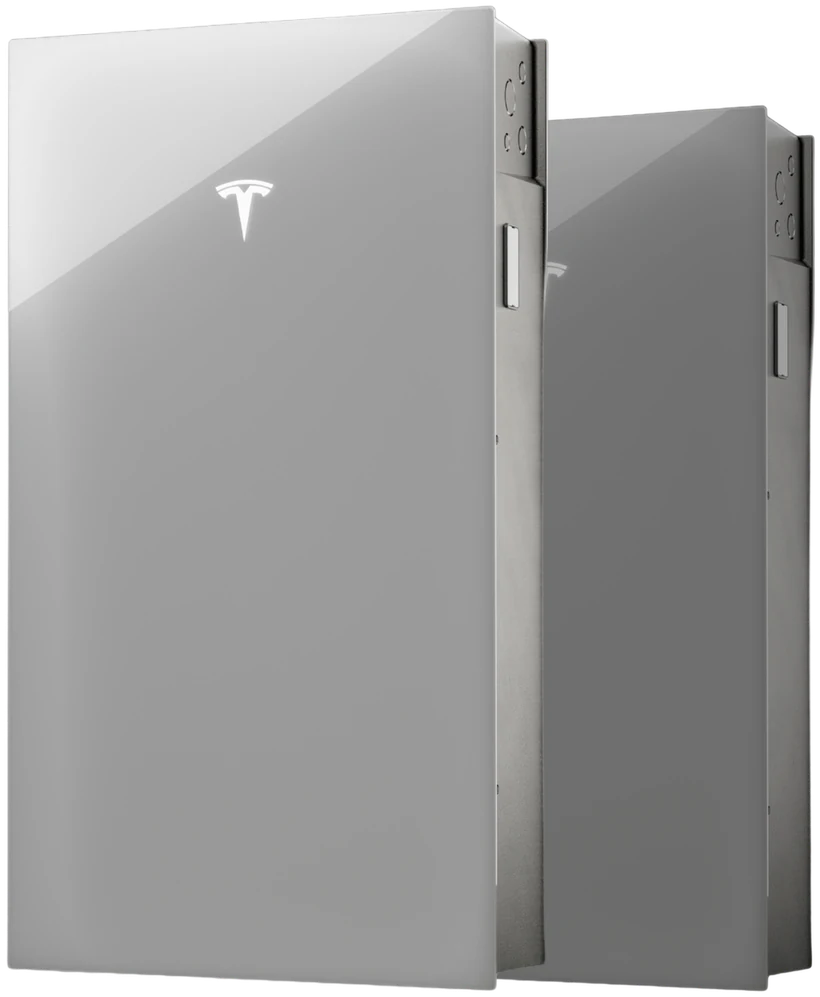
- 10-year Tesla warranty80 per cent capacity retained at 10 years, and the same cover on the Expansion unit.
- Solar inverter built inIntegrated, 3 MPPTs. 97.5 per cent efficient from solar to your home or the grid.
- Indoor or outdoorFloor or wall, indoor or outdoor. IP55 enclosure, IP67 battery and power electronics.
- Up to 11.04 kW of output3.68 kW to 11.04 kW, set to your DNO connection.
Source: Tesla Powerwall 3 datasheet, en-uk edition (energylibrary.tesla.com), read 20 August 2026.
What would a Powerwall 3 do for your bills?
Move the sliders. Nothing is sent anywhere and no email is needed to see the number.

Tesla Powerwall 3
Your real roof, your real usage, on a free video call. No obligation, and no home visit needed.
Get this priced for your home
Three details. Your calculator settings travel with them, so your free 30-minute design call starts from your numbers.
Compare
The six battery packages, side by side
Installed price, what it works out at per usable kWh, the warranty and what happens in a power cut. Every figure is read from the same data the calculator uses.
 Tesla Powerwall 3One unit13.5 kWh Tesla Powerwall 3One unit13.5 kWh |
 Powerwall 3 + ExpansionTwo units27 kWh Powerwall 3 + ExpansionTwo units27 kWh |
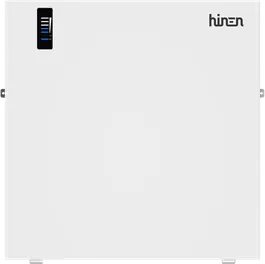 Hinen B15One unit13.68 kWh Hinen B15One unit13.68 kWh |
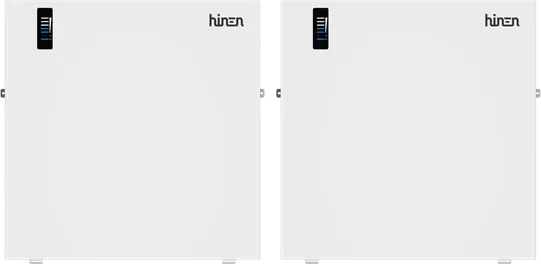 Two Hinen B15Two units27.36 kWh Two Hinen B15Two units27.36 kWh |
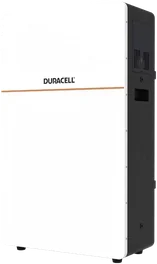 Duracell Dura16One unit14.4 kWh Duracell Dura16One unit14.4 kWh |
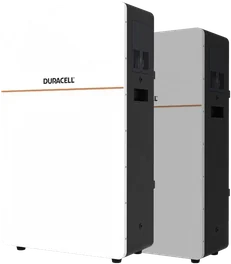 Two Duracell Dura16Two units28.8 kWh Two Duracell Dura16Two units28.8 kWh |
|
|---|---|---|---|---|---|---|
| Installed price | from £6,350 | from £10,850 | £5,000 | £9,800 | £4,450 | £8,900 |
| Per kWh stored | 12.9p | 11.0p | 8.3p | 8.2pLowest | 8.5p | 8.5p |
| Per usable kWh | £470 | £402 | £365 | £358 | £309 | £309 |
| Usable storage | 13.5 kWh | 27 kWh | 13.68 kWh | 27.36 kWh | 14.4 kWh | 28.8 kWh |
| Warranty | 10 years | 10 years | 12 years | 12 years | 10 years | 10 years |
| Backup | Requires a Backup Gateway 2 | Requires a Backup Gateway 2 | Whole-home with the SmartBox gateway | Whole-home with the SmartBox gateway | Discussed on your call | Discussed on your call |
| Sold | With or without solar | With or without solar | With or without solar | With or without solar | With solar | With solar |
| See the Powerwall 3 | See the Expansion | See the B15 | See two B15 | See the Dura16 | See two units |
Per kWh stored is the installed package price divided by everything the battery can store if it fills and empties once a day for its whole manufacturer warranty; per usable kWh is the price divided by the datasheet usable capacity alone. Both are arithmetic on the prices above, not manufacturer figures.
On the calculator's opening settings (£150 a month on electricity, no solar, charging at 8.5p off-peak), a Powerwall 3 on its own is worth about £707 a year, a simple payback of about 9.0 years on £6,350. The 27 kWh setup is worth about £744 a year at the same settings: extra storage only pays when there is evening use to fill it. Your own numbers are in the calculator.


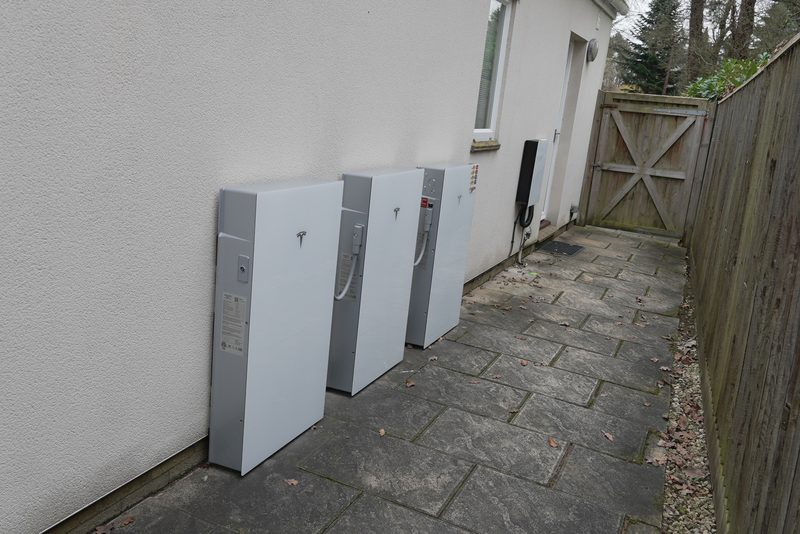
One box instead of two
The Powerwall 3 has its solar inverter built in. On a new solar installation the panels wire straight into it across three separate tracking inputs, so there is no second inverter on the wall and one less thing to fail.
That integration is where the efficiency comes from. Tesla publishes 97.5 per cent for solar going to your home or the grid, and 89 per cent for solar that goes through the battery first. Both figures are from the UK edition of the datasheet, not the American one, which matters more than it sounds.
Output is set at installation to suit your grid connection, anywhere from 3.68 kW up to 11.04 kW. That number decides which application your DNO wants, and it is worth understanding before anyone quotes you. Our guide to G98 and G99 covers what changes at the 3.68 kW line.

Inside the Powerwall 3 build, from Tesla’s own channel.
What you see on your phone
The Tesla app shows what the Powerwall is doing in real time and lets you set how it behaves. Savings mode for tariff shifting, storm-watch alerts that pre-charge the battery ahead of bad weather, and a backup reserve you set yourself, all from the same app that runs the rest of a Tesla account.
The Tesla app and its optimisation features, from Tesla.
Three things worth knowing before you commit
Backup needs a Gateway
A Powerwall 3 only keeps your lights on in a power cut if a Backup Gateway 2 is fitted with it. That is extra hardware and extra labour on top of the battery, and it is the single most common surprise on a quote. Ask for it to be itemised.
Retrofit works, with a catch
It can be added to solar you already have, sitting alongside your existing inverter rather than replacing it. In that arrangement, and without a Gateway, Tesla is explicit that the battery will not charge from your solar during a power cut. Worth knowing before you assume otherwise.
Ten years, 80 per cent guaranteed
Tesla warrants the Powerwall 3 for ten years and guarantees it will still hold at least 80 per cent of its original capacity at the end of them, with no cycle limit for ordinary home use. That is the manufacturer's own cover on the hardware and it comes with the unit.
What a Powerwall 3 costs, and how that compares
Our package price is £6,350 installed for the 13.5 kWh Powerwall 3, and £10,850 installed for the 27 kWh setup with an Expansion unit. Both are subject to survey.
For context, UK suppliers publishing a fixed Powerwall 3 price in 2026 sat between roughly £7,795 and £7,999 for a battery-only installation. Those are their published figures, checked in August 2026, and they are what makes the package worth looking at rather than a number we would rather you did not compare.
Domestic battery storage in Great Britain carries 0 per cent VAT until 31 March 2027, after which the relief is currently set to fall back to 5 per cent. That is a real deadline rather than a sales one, and it applies whoever fits it. See what the 31 March 2027 deadline means and the VAT guide for what is and is not covered.
Powerwall 3 + Expansion
27 kWh: one Powerwall 3 and one Expansion unit
The 27 kWh setup is a Powerwall 3 plus one Expansion unit, from £10,850 installed. Tesla's own name for it is an Expansion unit, not an expansion pack, and the difference matters: it is storage only, with no inverter inside, and it hangs off the Powerwall next to it.
| Powerwall 3 | With one Expansion unit | |
|---|---|---|
| Usable storage | 13.5 kWh | 27 kWh |
| Installed package | from £6,350 | from £10,850 |
| Cost per usable kWh | £470 | £402 |
| Year one at £150 a month | £707, 9.0-year payback | £744, 14.6-year payback |
| Year one at £250 a month | £748, 8.5-year payback | £1,239, 8.8-year payback |
| Suits | A typical family home on an off-peak tariff | Higher use, an EV on the drive, or a heat pump |
Cost per usable kWh is arithmetic on the two package prices above, not a manufacturer figure. The year-one rows are the site's own calculator model, battery only, no solar: £150 a month is about 6,839 kWh a year and £250 about 11,398 kWh at the 26.32p cap rate (1 October to 31 December 2026), charging at 8.5p off-peak. Up to three Expansion units can be added to one Powerwall 3, taking a system as far as 94.5 kWh, which is far more than a normal house has any use for.
The sizing question is not "how big can it get". It is how much electricity your home actually uses between sunset and sunrise, because that is the only energy a battery can shift. At £150 a month the second 13.5 kWh adds little; at £250 a month, the kind of use an EV or a heat pump brings, it starts to earn its place. Our guide to sizing a home battery works through it properly.
Powerwall 3 against the Powerwall 2
The short version: the inverter moved inside, and the chemistry changed.
A Powerwall 2 is a battery that sits alongside whatever solar inverter you already have. A Powerwall 3 is a battery with the solar inverter built into it, taking panels directly across three tracking inputs. On a new installation that removes a box from the wall, a set of cables, and a point of failure.
The cells changed too. The Powerwall 2 used a nickel-based chemistry; the Powerwall 3 uses lithium iron phosphate, the same family as the Duracell Dura16 and most of the current UK market. It is the chemistry that trades a little energy density for a longer, more stable life, which is why the warranties on it carry no cycle limit for ordinary home use.
One practical point that catches people out: you cannot add a Powerwall 3 to an existing Powerwall 2 system. Tesla allows Powerwall 3 units to be added to other Powerwall 3 units only. If you already have a Powerwall 2 and want more storage, that is a different conversation and worth having before anyone surveys your house.
How long would it run your house in a power cut?
Longer than most people expect, and far shorter than the marketing implies. Both are true, and which one you get depends entirely on what you leave switched on.
A typical home ticks over somewhere around half a kilowatt overnight: fridge, freezer, router, standby loads, maybe a boiler pump. At that rate 13.5 kWh will see you through a night and well into the next day. Put the kettle on, run an electric shower, cook dinner on an induction hob, and you can pull three or four kilowatts at once and empty it in a few hours.
Which is why backup is normally designed around chosen circuits rather than the whole house. The circuits that matter are chosen at the design stage, usually lighting, sockets in the kitchen and living areas, the boiler and the router, leaving the electric shower and the oven out of it. The stored energy then goes a great deal further, and you notice the outage a great deal less. Our guide to whole-home against partial backup works through the trade-off.
Backup of any kind needs the Backup Gateway 2 fitted alongside the battery. Without it the Powerwall still does its daily job of storing cheap and solar energy and running your home on it, but it will not island from the grid when the power goes off.
What your network operator needs to know
This is the step most quotes gloss over, and it decides how quickly the job can actually happen.
Anything that can push power onto the grid has to be agreed with your distribution network operator, and the threshold is 3.68 kW per phase. Below it, most installations go through G98: the system is fitted and the DNO is notified afterwards. Above it, you are into a G99 application, which has to be approved before the work happens and can take weeks.
A Powerwall 3 matters here because its output is configurable from 3.68 kW right up to 11.04 kW. Set at the bottom of that range it can be a fit-and-notify job. Set to make the most of the hardware, it is a G99 application. Neither is wrong, and the right answer depends on your supply, your usage and how quickly you want it done, but it should be a decision someone talks you through rather than a surprise on a timeline.
Our guides on G98 against G99 and how long DNO applications take cover the process properly, including what happens if your DNO comes back with conditions.
If you drive electric
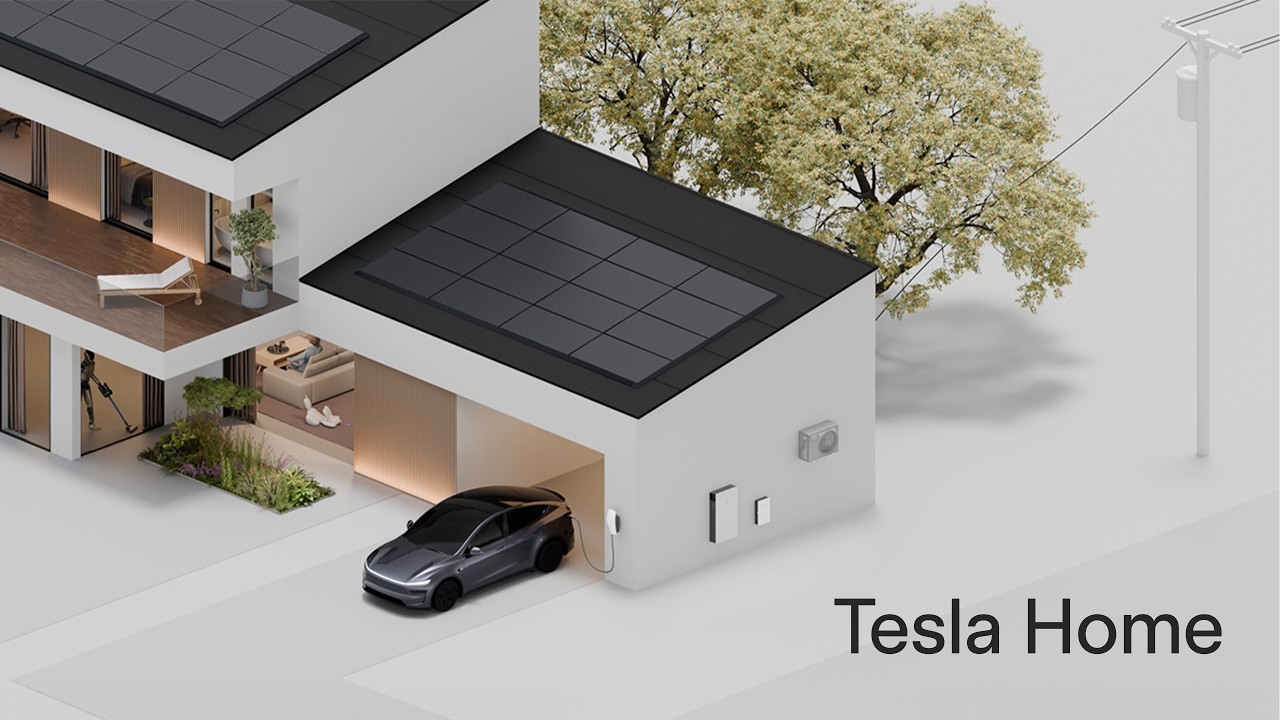
A Powerwall 3 does not charge a car on its own, but the same solar array that fills it can send power to a charger during the day, and the battery can top up the car overnight on an off-peak rate instead. Our EV chargers start from £1,100 installed, a straightforward addition alongside a Powerwall 3 on the same visit.

Solar, a Powerwall and an EV, working together, from Tesla.
The rest of the range
Other packages, installed
Full specification
| Usable energy | 13.5 kWh |
|---|---|
| Solar inverter | Integrated, 3 MPPTs |
| Max solar input | 20 kW STC |
| On-grid output, continuous | 3.68 kW to 11.04 kW, set to your DNO connection |
| Efficiency, solar to home or grid | 97.5 per cent |
| Efficiency, solar to battery to home | 89 per cent |
| Scalability | Up to 7 units in total, in any mix of Powerwall 3 and Expansion, giving up to 94.5 kWh and 44 kW |
| Dimensions, H x W x D | 1105 x 609 x 193 mm |
| Weight | 130 kg |
| Mounting | Floor or wall, indoor or outdoor |
| Enclosure protection | IP55 enclosure, IP67 battery and power electronics |
| Operating temperature | minus 20 to 50 C |
| Noise at 1 m | Under 50 dB(A) typical |
| Grid connection standards | G98, G99 and G100 certified |
| Backup | Requires a Backup Gateway 2 |
| Warranty | 10 years, 80 per cent capacity retained at 10 years |
Source: Tesla Powerwall 3 datasheet, en-uk edition (energylibrary.tesla.com), model 1707000, read 20 August 2026.
What the Expansion unit adds
| Usable energy | 27 kWh, as 13.5 kWh plus a 13.5 kWh Expansion unit |
|---|---|
| Expansion unit inverter | None. An Expansion unit adds storage only |
| Max Expansion units | 3 per Powerwall 3, connected to the leader unit |
| Solar inverter | Integrated in the Powerwall 3, 3 MPPTs |
| Max charge power with Expansion | 8 kW |
| Expansion dimensions, H x W x D | 1105 x 609 x 168 mm |
| Expansion weight | 110 kg, 118.5 kg wall-mounted with cover and bracket |
| Expansion enclosure protection | IP67 |
| Connection | Expansion Harness, 0.5 m, 2 m or 4 m |
| Warranty | 10 years, 80 per cent capacity retained at 10 years |
Source: Tesla Powerwall 3 datasheet, en-uk edition, and Tesla system design documentation, model 1707000 plus 1807000, read 20 August 2026.
Every installation is carried out by our teams, who hold:






Guides on this topic
Sourced, dated, and written to be read before anyone quotes you.
Adding a battery to solar panels you already own
Retrofitting a battery to working solar is straightforward. The paperwork is where people trip up.
Read the guide →GivEnergy in administration: what owners should do now
The sourced timeline, the warranty position, and the owner's checklist for this month.
Read the guide →Inside a home battery: capacity, power and losses
Usable capacity, kW output, round trip losses and chemistry, in plain terms.
Read the guide →Does a standalone battery actually pay back?
No panels means one job: buy cheap, use later. The tariff decides whether it pays.
Read the guide →How much a battery saves by charging on cheap night rates
What charging at 8.5p and using at 26.32p is actually worth over a year.
Read the guide →Sigenergy SigenStor review: the 5-in-1 tower examined
The 5-in-1 tower reviewed by a site that does not sell it, warranty arithmetic included.
Read the guide →Tesla Powerwall 3 questions, answered
How much is a Tesla Powerwall 3 installed in the UK?
Our package is from £6,350 installed for the 13.5 kWh Powerwall 3, and from £10,850 for the 27 kWh setup with an Expansion unit, both subject to survey. UK suppliers publishing a fixed price in 2026 sat between about £7,795 and £7,999 for a battery-only installation, checked August 2026. Domestic battery storage carries 0 per cent VAT until 31 March 2027.
Is the Tesla Powerwall 3 worth it?
That depends on how you use electricity, not on the battery alone. At from £6,350 installed for 13.5 kWh usable, a 10-year warranty guaranteeing 80 per cent capacity, and the solar inverter already built in, it suits homes with solar, an off-peak tariff, or both, where there is real evening and overnight demand to shift. Your design call works out the actual payback on your own numbers.
How much is a Powerwall 3 with an Expansion unit?
From £10,850 installed for 27 kWh usable: one Powerwall 3 and one Expansion unit, subject to survey. That is £402 per usable kWh against £470 for a Powerwall 3 on its own. The Expansion unit is storage only and connects to the Powerwall 3 beside it.
Does the Powerwall 3 need a Gateway?
Only if you want backup. A Backup Gateway 2 is what disconnects your house from the grid safely during a power cut and lets the Powerwall run your circuits. Without one the battery still stores and shifts energy every day, it simply will not keep the lights on in an outage. The Gateway is extra hardware and should be itemised on any quote.
Does the Powerwall 3 have an inverter built in?
Yes, and it is the main thing that changed from the Powerwall 2. Solar panels connect directly to the Powerwall 3 across three tracking inputs, up to 20 kW of panels, so a new installation does not need a separate solar inverter.
Can I add a Powerwall 3 to solar panels I already have?
Yes. Your existing inverter stays where it is and the Powerwall 3 is coupled alongside it, with its own solar inputs unused. One thing to be clear on: in that arrangement, without a Backup Gateway, Tesla states the battery will not charge from your solar during a power cut.
Can I add a Powerwall 3 to an existing Powerwall 2?
No. Tesla is explicit that Powerwall 3 units can be added to other Powerwall 3 units but not to a Powerwall 2. If you already have a Powerwall 2, expanding it means a different conversation, and that is worth having before anyone surveys your house.
Can you add Expansion units later?
Yes. An Expansion unit is storage only, with no inverter of its own, and connects to the Powerwall 3 already on your wall. Up to three can be added, taking a system as far as 94.5 kWh and 44 kW across the whole system. Whether your existing setup and wall space allow a later addition is exactly what a survey confirms.
How long will a Powerwall 3 run my house in a power cut?
With 13.5 kWh usable and a home drawing around 0.5 kW overnight, it will cover a night comfortably. Run the kettle, the oven and an electric shower and you will empty it far faster. Backup is normally designed around chosen circuits rather than the whole house, which makes the stored energy go much further.
Can a Tesla Powerwall 3 be installed outside?
Yes. Tesla rates the Powerwall 3 for floor or wall mounting, indoors or outdoors, with an IP55 enclosure and IP67-rated battery and power electronics, and it operates from minus 20 to 50 Celsius. Tesla’s own UK page states flood resistance up to 0.6 metres. Outdoor siting still needs checking against your wall, meter position and any planning constraints on the day of survey.
Does a Powerwall 3 need a G99 application?
It depends on the output it is set to. A Powerwall 3 can be configured from 3.68 kW up to 11.04 kW. At 3.68 kW per phase or below, most installations go through the simpler G98 notification. Above that it is a G99 application to your DNO, which takes longer and needs approval before the work happens.
What is the Tesla Powerwall 3 warranty?
Ten years from Tesla, guaranteeing at least 80 per cent of the original usable capacity at the end of that period, with no cycle limit for ordinary home use such as solar self-consumption, tariff shifting and backup. The Expansion unit carries the same terms. Cover is conditional on commissioning: Tesla’s warranty is void unless the unit is installed and commissioned by Tesla or by a company Tesla has certified to do it, a condition set in the document itself (Tesla Powerwall warranty, European region, Rev 1.16, 3 December 2025). It sits alongside our workmanship warranty on the installation itself, which your quote sets out.
Get my free quote
Takes about two minutes. We call or text within one working day to book your free 30-minute video design call at a time that suits you. We design it around your roof and your numbers, and our MCS-certified, fully insured installation teams install it.